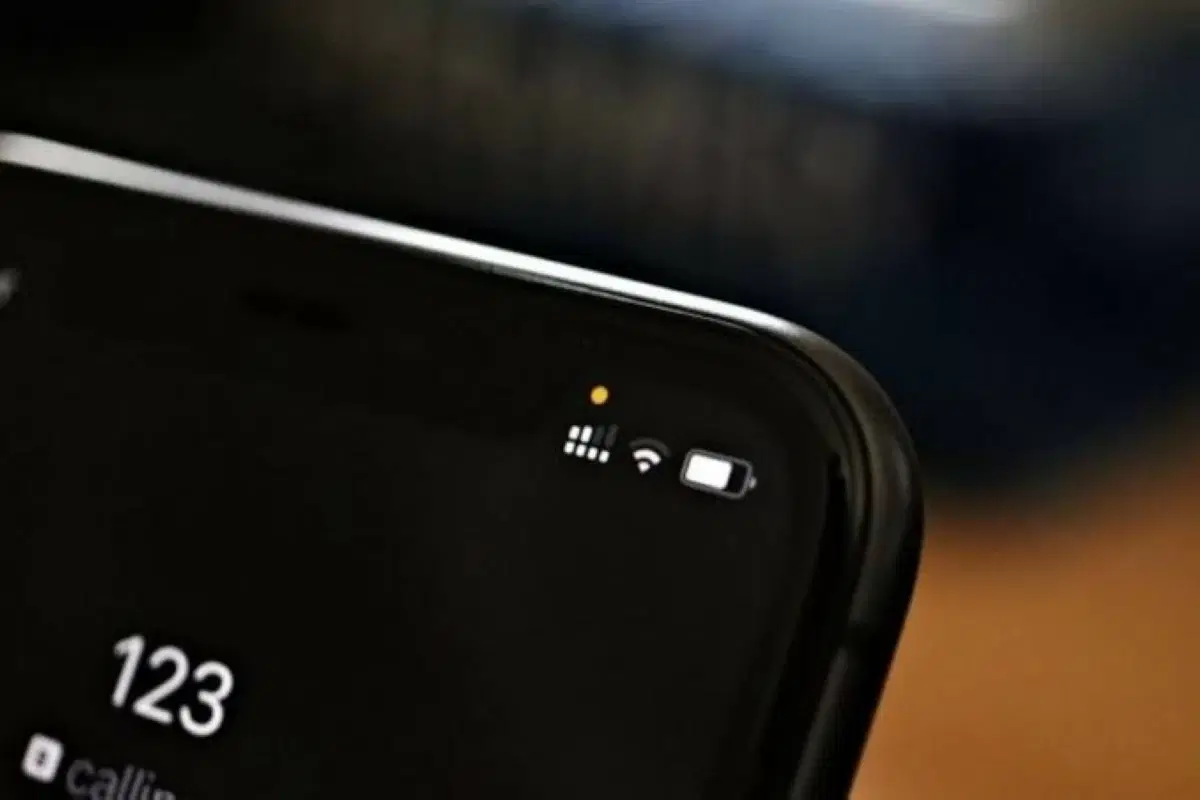
The colored dots on your phone.. what do they reveal?
Amman3 min read
Share
Khaberni - Small illuminated dots of various colors may appear on your phone screen, either at the top of the screen or near one of the corners, and then disappear after a short while. Although their appearance may raise questions regarding privacy, they are often alert indicators showing that an application is using certain phone functions, such as the camera, microphone, or location data, according to the German Press Agency.
The meanings of these indicators vary depending on the operating system and the type of device, while knowing them helps the user detect any unexpected use of sensitive resources.
On iPhones, the colors of the dots appearing in the status bar are linked to the use of the camera and microphone, and their meanings are as follows:
These indicators aim to alert the user when the camera is turned on or the microphone is in use, helping them notice any unexpected activity from applications and verify it when necessary.
On Android devices, privacy indicators have been available since version 12 of the system, and they usually appear in the top right corner of the screen.
The green dot means that an application is using the camera or the microphone, or both at the same time.
As for the blue dot, it indicates, according to the information provided in the report, that an application is accessing location data. This indicator was added in Android 16, which appeared in March 2026.
These signs allow the user to know that some device functions or data are in use, rather than this happening without any visual signal.
Not all dots appearing on the phone screen are related to privacy. On some Android devices, a white dot may appear near the middle of the top edge, and its cause is completely different.
This dot appears when the number of icons intended to be displayed in the status bar, such as app notifications and connection indicators, increases to a point where the available space does not allow them all to be shown.
In this case, the white dot replaces some icons that do not appear due to limited space, and it does not in itself indicate the use of the camera, microphone, or access to location data.
The appearance of privacy indicators does not necessarily mean there is a problem; it may be related to the normal use of an application. However, if the dot appears at a time when you do not expect the camera or microphone to be running, it is useful to review the application using these functions and check its permissions.
Knowing the meanings of the colors remains a simple step that helps the user understand what is happening on their phone, and distinguish between privacy indicators and alerts related to the display of icons and notifications.